Resources > API
Connect BlueCamroo
with the tools your
business already uses
Use the BlueCamroo API to securely read, create,
and update data so your systems can work
together more efficiently.
and update data so your systems can work
together more efficiently.
 View User Guide
REST API • JSON / XML • No additional API charges
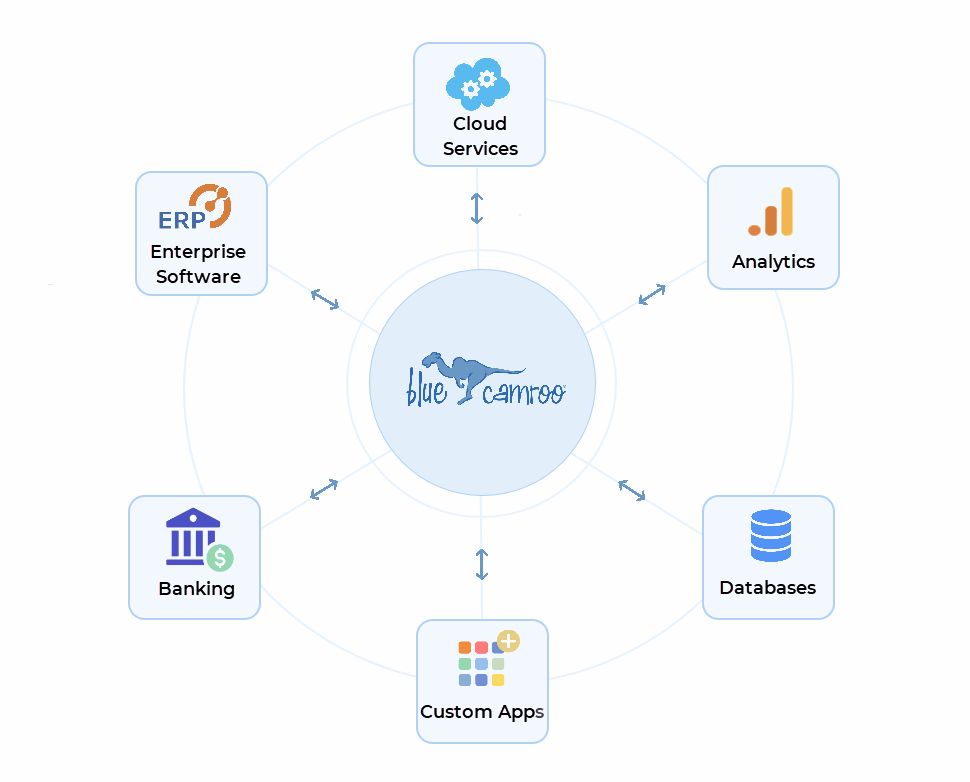

For business teams
Connect BlueCamroo with other systems to reduce manual work and keep information in sync.

For developers
Work with a REST API using standard HTTP protocols and JSON and XML messages

For secure access
API connections authenticates as a BlueCamroo user and follow that user's permissions.
What you can do with the BlueCamroo API
Powerful capabilities that help your business run smarter.
 Connect
Systems
Share information between
BlueCamroo and other
business applications
BlueCamroo and other
business applications
 Move
Movedata in and out
Retrieve records, create
new entries, and update
existing data.
new entries, and update
existing data.
 Support
custom workflows
Use your own integration
logic to fit the way your
business operates.
logic to fit the way your
business operates.
 Keep
Keepaccess controlled
API activity respects
BlueCamroo user
permissions.
BlueCamroo user
permissions.

For business owners
Use the API when BlueCamroo needs to work
with another system.
with another system.
-
 Reduce duplicate data entry
 -
Keep data aligned across tools
-
Support more tailored internal processes
For Developers
Use the API documentation to authenticate,
send commands, handle responses, and
trap errors.
send commands, handle responses, and
trap errors.
-
Authentication
-
Request structure
-
JSON / XML response handling
-
Error handling
-
Object reference and examples
Developer resources
Everything you need to build successfully with BlueCamroo.

API Documentation
Authentication, formats, commands, examples, supported objects, and reference details.
Open Docs 
BlueCamroo User Guide
A helpful starting point for understanding how BlueCamroo is structured before developing integrations.
View Guide 
Support Resources
Access broader help articles, FAQs, videos, and other learning materials across BlueCamroo.
Go to Support How an API connection works

1. Authenticate
Authenticate using your BlueCamroo user credentials and permissions.


2. Send request
Send a request using HTTP with JSON or XML data to the API endpoint.

3. Receive data
Receive a response in JSON or XML format with the request information.

4. Use it in your workflow
Use the data in your system or application to automate and streamline processes.

Ready to build with BlueCamroo?
Start with the API documentation, review how BlueCamroo objects
are structured, and connect the platform to the workflows your
business depends on.
are structured, and connect the platform to the workflows your
business depends on.
- Solution
- Pricing
- How Your Business Runs
- Developers
- API Documentation

©2026 BlueCamroo Inc. All righs reserved